AI Pixel Art Generator
最終更新日 / Updated: 2026-08-24
Can I create AI Pixel Art Generator for free?
Create pixel art in seconds with a free AI pixel art generator. Type a few words or upload a photo and SUPPART turns it into crisp 8-bit / retro pixel art — 150+ styles, no skills needed, on iOS, Android and web.
About 10s · 150+ styles · free. 1.3M+ artworks and 5,000+ events listed to date across Japan. iOS, Android & web.
- ~10stypical gen
- 150+styles
- 1.3M+artworks
- 4.2★rating
- 5,000+events
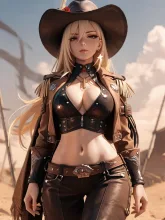
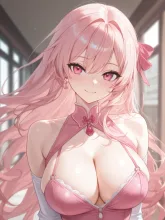
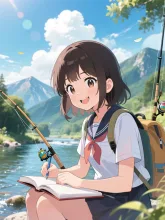
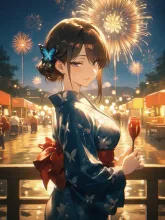
Popular AI artworks
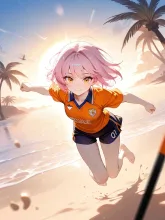
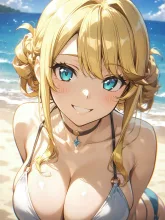
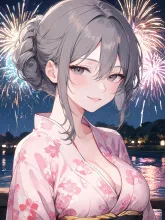
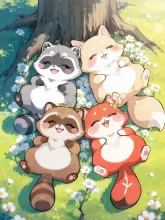
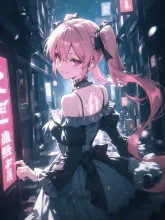
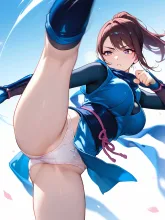
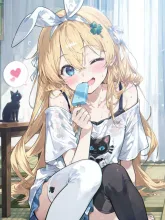
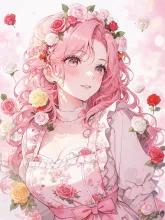
Is the AI pixel art generator free?
Yes. Creating pixel art on SUPPART is free to start: sign up and free generations are granted straight away, and the pixel art style itself is not behind a paid tier. No Discord, no card required for the first images. A paid membership only adds volume and extras such as monthly coin bonuses and watermark-free HD saves. Japan-based product with 1.3M+ artworks and 150+ styles including pixel art.
How to make pixel art with AI
Open SUPPART on iOS, Android or in the browser, choose the pixel art style, then either type a short description or upload a photo. Generation takes roughly ten seconds and the result saves to your device. Nothing to install beyond the app — no GPU rental, no model download, no sampler settings before the first image.
What actually makes an image read as pixel art
Low resolution is the point of the medium, so adding detail does not automatically improve the result — past a certain density it destroys the effect. Three things do the work. A limited palette, so colours repeat rather than blend. Outlines that hold at a single pixel width, so shapes stay separable. Shading placed in visible steps instead of gradients, which is why the style is sometimes described as stair-stepped. Knowing this is what lets you tell a good result from a bad one instead of generating at random.
Wording for 8-bit, 16-bit and game sprites
The two eras look different and the words separate them. 8-bit implies a very small palette, chunky forms and little shading, closer to an NES-era sprite. 16-bit allows more colours and readable facial detail, closer to a Super Famicom or Mega Drive look. Adding side view, standing sprite, walk cycle, tileset or retro game screen pushes the composition toward game assets rather than illustration. What to avoid is mixing in anime style, highly detailed or 4K, which dissolves the pixel grid and pulls the output back to an ordinary smooth illustration.
Turning a photo into pixel art
Instead of writing a prompt you can upload a photo and apply the pixel art style, which keeps the composition of the original while redrawing it in the retro look. Photos with a clearly lit face and an uncluttered background survive the reduction best, because once the image is down to a small palette there is not enough room for a busy background and a subject to coexist. Group shots and heavy backlighting are the two cases that most often come back unreadable.
Why AI pixel art comes out blurry, and how to fix it
The usual complaint is that the result looks like a photograph of pixel art rather than pixel art. Three causes account for most of it. Anti-aliased edges, where the model softens the boundary between two colours and breaks the one-pixel outline — asking for hard edges and no anti-aliasing helps. Too many colours, which turns steps back into gradients — naming a small palette, for example four colours or two colours plus black, is the direct fix. And detail below the size of a pixel, such as individual fingers or text on a sign, which cannot be represented at all — remove it from the prompt rather than trying to force it. Simplifying the scene is almost always more effective than adding words.
What this style is and is not
SUPPART generates pixel-art-styled images. That is the right tool if you want an avatar, an icon, a piece of key art or a mood board for a game idea. It is not a sprite editor: the output is a raster image, not a grid-locked file with a locked palette, and it does not come as a layered sprite sheet or an editable project you can nudge dot by dot. If you need production game assets, the realistic workflow is to generate here for the look and direction and then rebuild or clean up in a dedicated editor such as Aseprite. Saying this plainly saves time that would otherwise go into prompting for something the format cannot deliver.
What people make with it
The common uses are social media icons and avatars, profile art, stream overlays and chat emotes, sticker-style images, and concept boards for game or app ideas. Because each generation takes about ten seconds it is normal to make several variations and pick one, rather than trying to get a single prompt exactly right. The style page collects pixel art made by SUPPART users if you want to see the range before starting.
FAQ
Is pixel art AI free?
Yes. SUPPART is free to start and grants free generations on signup, and the pixel art style is not behind a paid tier. No card is needed for the first images.
Is there a free AI pixel art generator with no sign-up limit?
SUPPART requires an account but not payment. Free generations are granted on signup and the pixel art style is available on the free tier; a paid membership only adds volume and extras.
Can I make pixel art from a photo?
Yes. Upload any photo and SUPPART redraws it in the pixel art style, keeping the original composition. Clearly lit faces on simple backgrounds survive the reduction best.
Do I need pixel-art skills?
No. The AI creates the pixel art for you — no dot-by-dot work needed.
How do I get an 8-bit look instead of 16-bit?
Say 8-bit for a very small palette and chunky forms, or 16-bit for more colours and readable facial detail. Avoid combining either with anime style or highly detailed, which dissolves the pixel grid.
Why does my AI pixel art look blurry?
Usually anti-aliased edges, too many colours, or detail smaller than a pixel. Ask for hard edges and no anti-aliasing, name a small palette such as four colours, and remove sub-pixel detail like text or individual fingers.
Can I export a sprite sheet for a game?
No. SUPPART produces a raster image in the pixel art style, not a grid-locked or layered sprite sheet. For production game assets, generate here for the look and rebuild in a dedicated editor such as Aseprite.